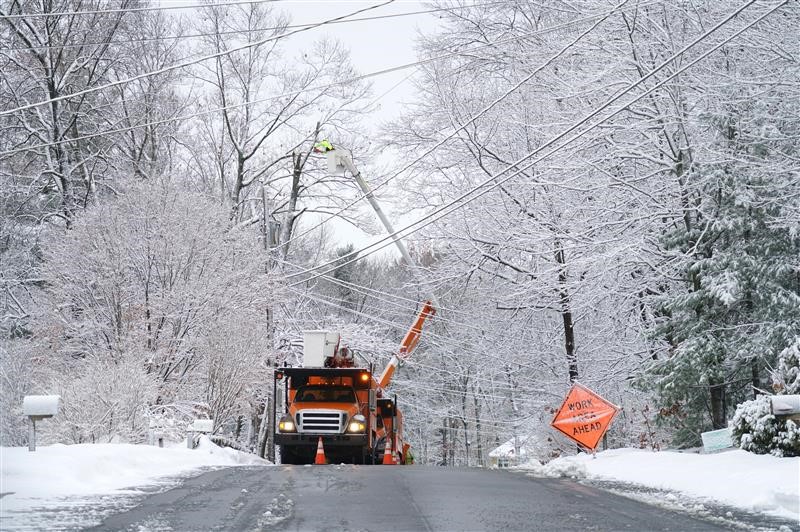
Winter storm season in the Midwest typically runs from December through February, bringing snow, strong winds, and extreme cold. These conditions can cause power outages and disrupt internet service, making preparation essential to staying safe, connected, and informed.
Here are some key steps to help you prepare:
1. Prepare Emergency Power Sources
- Backup Batteries: Charge portable power banks for phones and small devices.
- Generators: If you use a generator, ensure it’s fueled and ready. Always operate generators outside.
- Battery Backups for Modem/Router: Some internet modems and routers, like Xfinity Pro (formerly Storm-Ready WiFi), include battery and cellular backups that can keep your connection running if power is temporarily out.
2. Download Key Information for Offline Use
- Important Files: Download critical documents or work materials so you can access them offline.
- Emergency Contacts: Write down key phone numbers and addresses.
- Offline Maps: Download maps if you may need to travel without reliable internet or GPS.
- Essential Apps: Enable offline modes in document, email, or cloud apps ahead of time.
3. Prepare Your Devices
- Charge Electronics: Fully charge phones, tablets, and laptops before any storm. Keep portable chargers ready.
- Enable WiFi calling: If cellular service is limited but internet remains available, WiFi calling and texting may still work.
- Set up a mobile hotspot: Smartphones can often serve as hotspots if your home internet is unavailable. (Xfinity Mobile customers can enable this feature directly from their phone settings.) See how here. If you’re not an Xfinity Mobile customer, consider signing up with the many great deals we have.
- Protect Your Devices: Plug TVs, modems, and TV boxes into surge protectors to prevent damage from power fluctuations.
- Offline Entertainment: Download movies, shows, books, or games in advance—especially helpful for households with children. If you use streaming services for entertainment, like Peacock, download movies or shows to watch offline during the outage.

4. Identify Backup Internet Options
- Public WiFi Hotspots: Many providers offer access to public hotspots. For example, thousands of WiFi hotspots are available across parts of the Midwest to Xfinity customers. Click here to find one near you.
- Alternative Locations: Libraries, community centers, and cafes may offer internet access if it’s safe to travel.

5. Stock Essential Supplies
- Emergency Supplies: Flashlights, batteries, blankets, candles, and necessary medications.
- Food and Water: Non-perishable food and drinking water for several days.
- Stay Warm: Extra layers and blankets in case heating is affected.
6. Prepare and Inform Others
- Communication Plan: Let family, friends, or coworkers know how you’ll stay in touch during an outage.
- Alerts and Updates: Sign up for outage and restoration alerts from your power company and internet provider. For example, Xfinity customers can log into their account at xfinity.com/myaccount or via the Xfinity app to sign up to receive text alerts.
Peace of Mind During An Outage
If an outage occurs, service teams work as quickly as conditions allow to restore connectivity. You can check the Xfinity Outage Map (scan the QR code below) or use the Xfinity app to view outage details, including cause, status, and estimated restoration time.
To learn more, visit here.